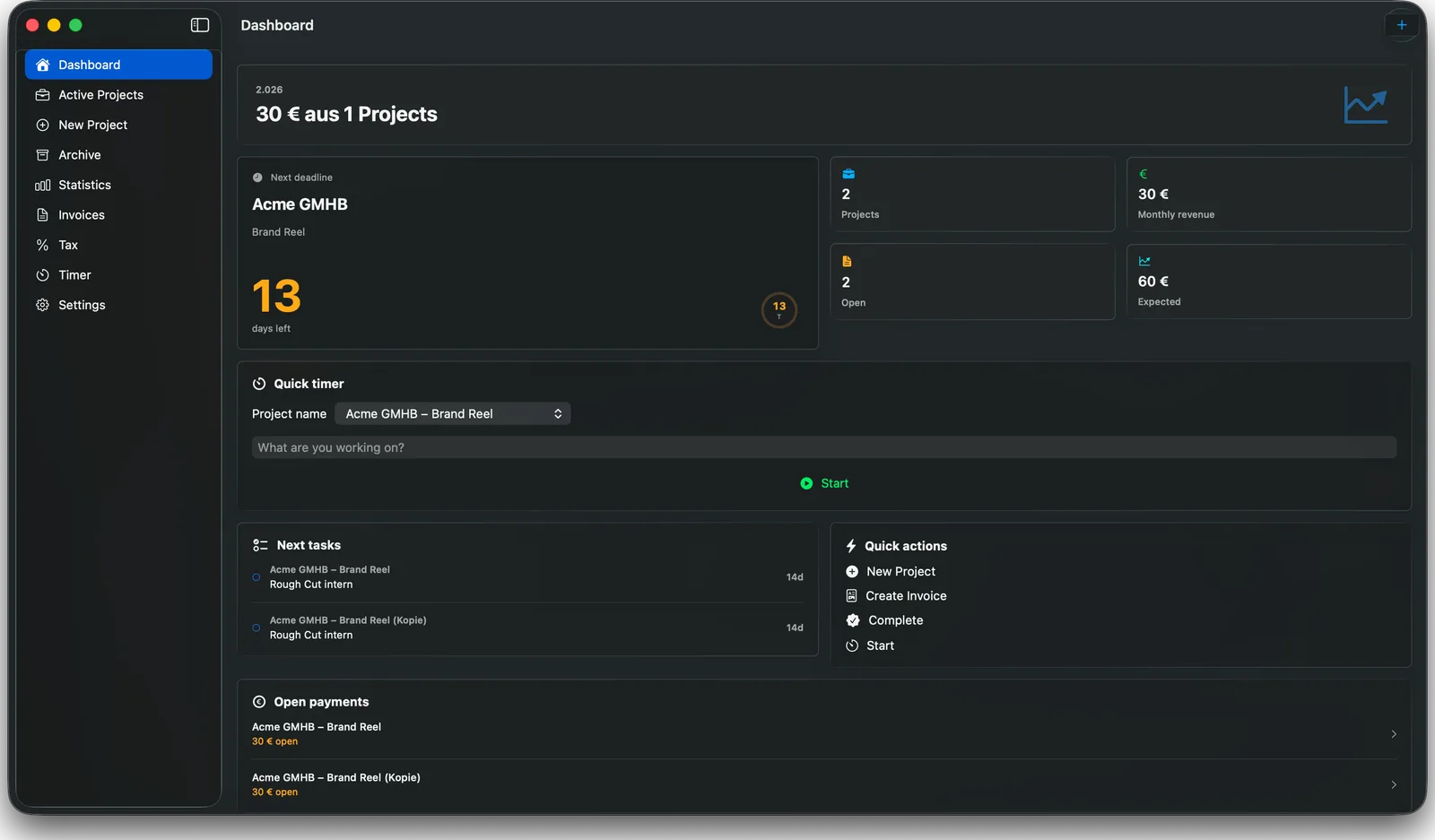
Your day, at a glance
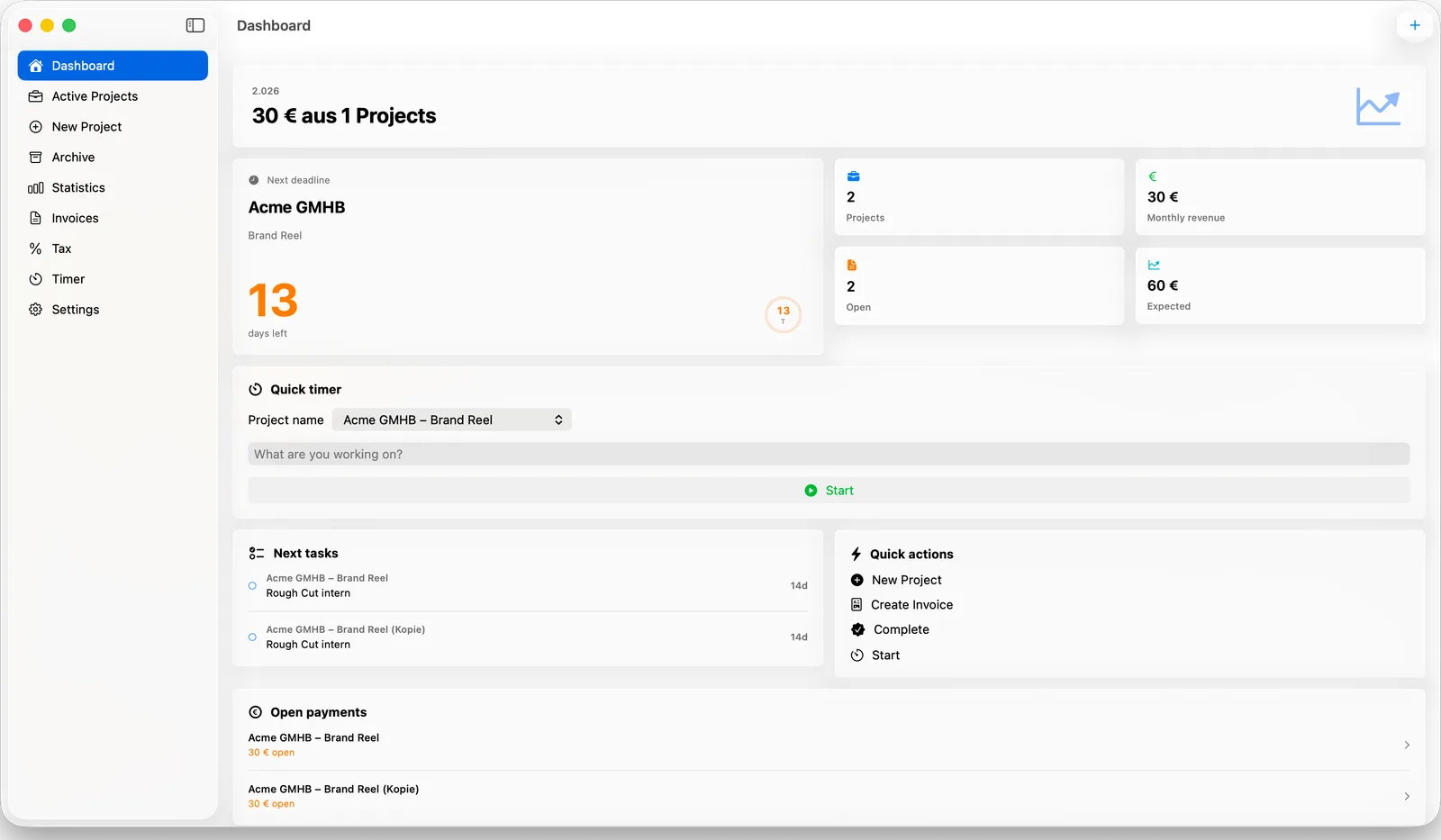
The dashboard is a bento-style overview built around the one question you actually ask each morning: what needs me today?
- ✓ Next deadline with a countdown ring
- ✓ Monthly revenue and expected income
- ✓ Quick timer to start tracking in one click
- ✓ Next tasks, open payments and calendar in one view
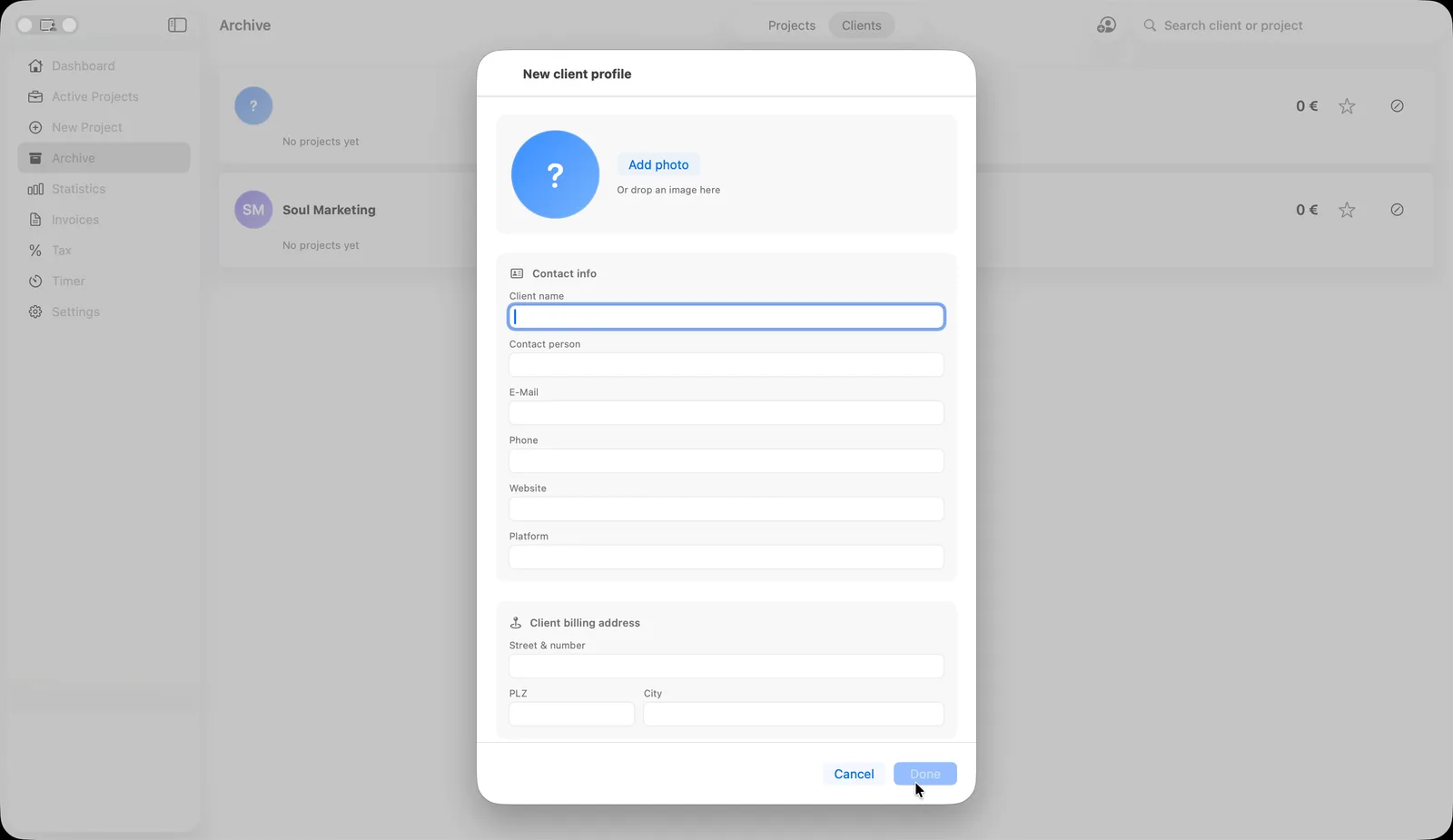
Set up a client once, reuse it forever
Build out a client profile in advance — contact details, billing address, a profile photo, notes on tone and preferences — so every project after that links straight back to it.
- ✓ Contact info, billing address and notes in one place
- ✓ Profile photo or an auto-generated colored avatar
- ✓ Pick a returning client when starting a new project — contact and billing info fill in automatically
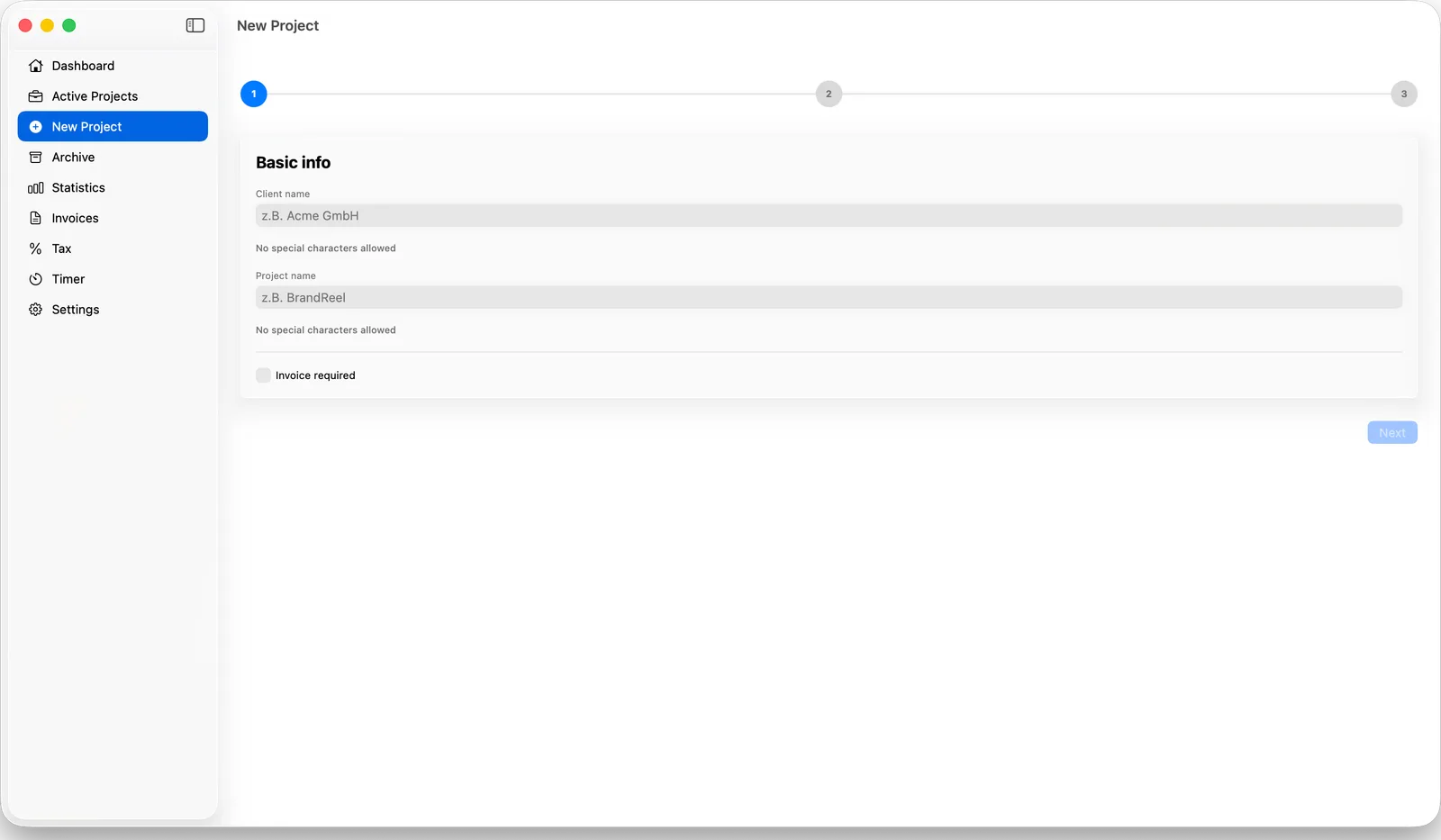
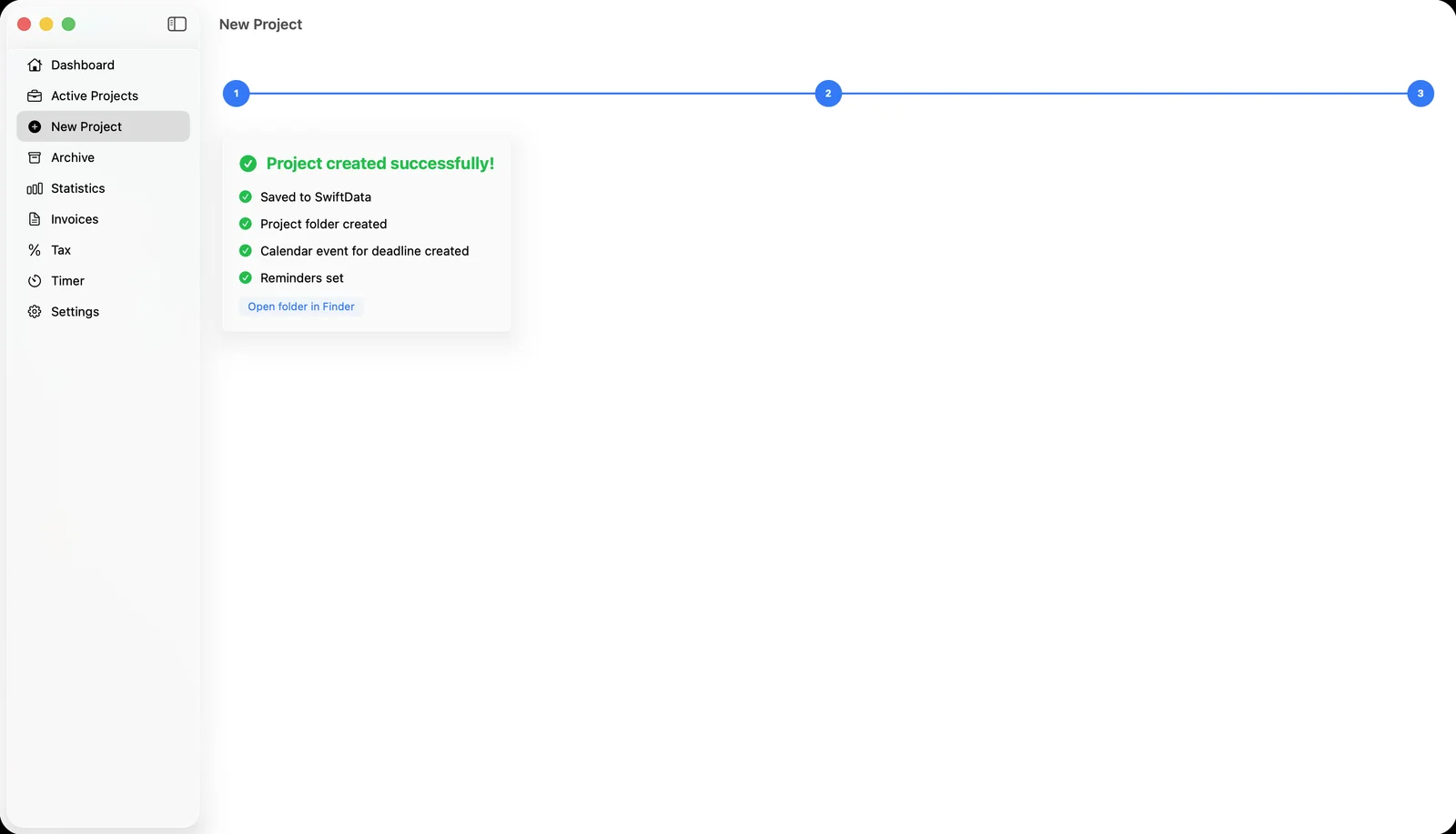
From brief to folder in under a minute
A short 3-step wizard captures everything you need — client, format, deadline, budget, briefing — and does the busywork for you.
- ✓ Returning-client autofill, so repeat business takes seconds
- ✓ Project templates for recurring formats like Insta Reels
- ✓ Automatically creates the project folder, calendar event and reminders
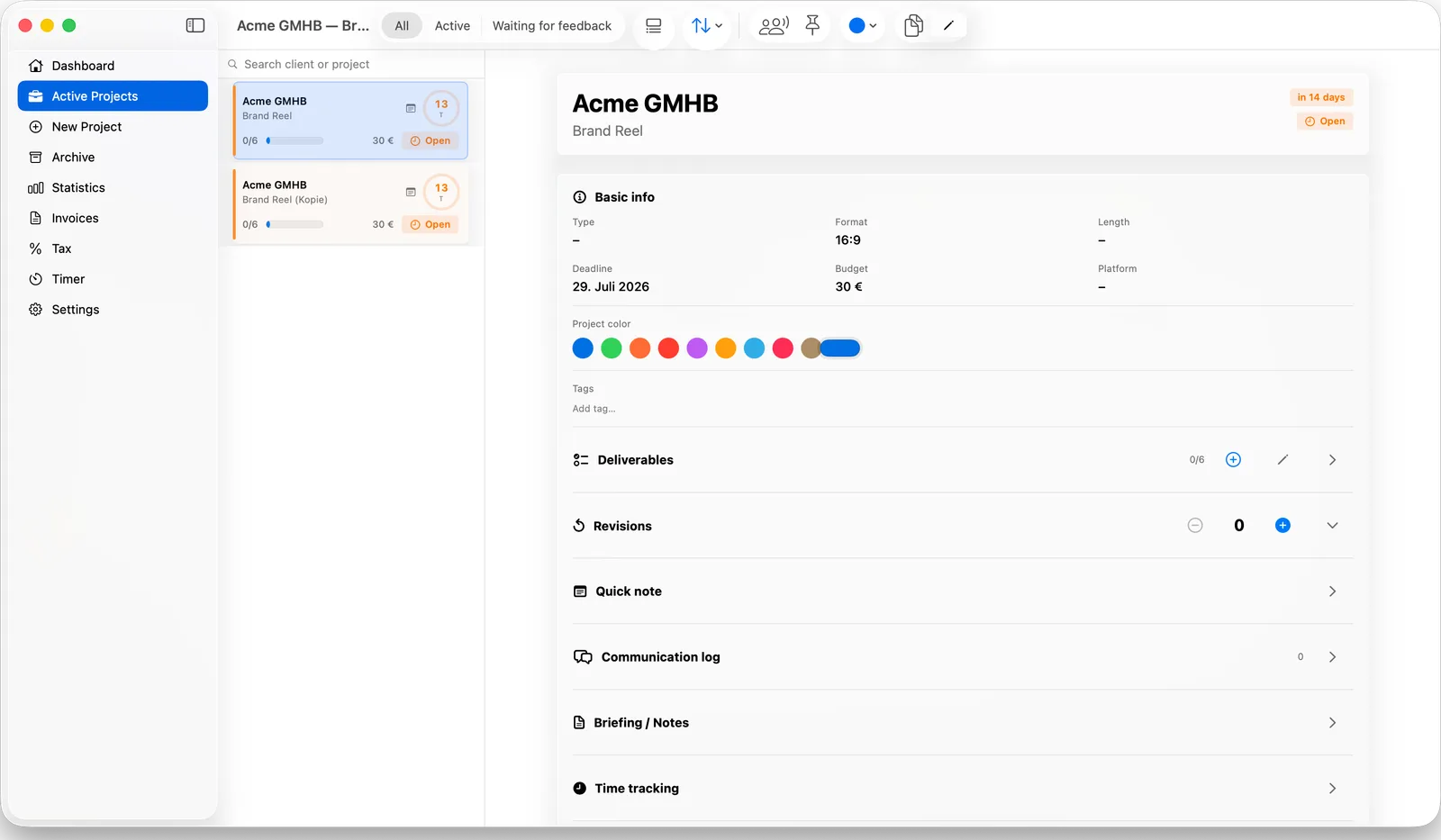
Every project, fully in view
Deliverables checklists, revision counts, a quick note field and a communication log — the details that keep a project from slipping.
- ✓ Deliverables with progress tracking
- ✓ Custom project colors and pinning for priority work
- ✓ Revision counter and communication log per client
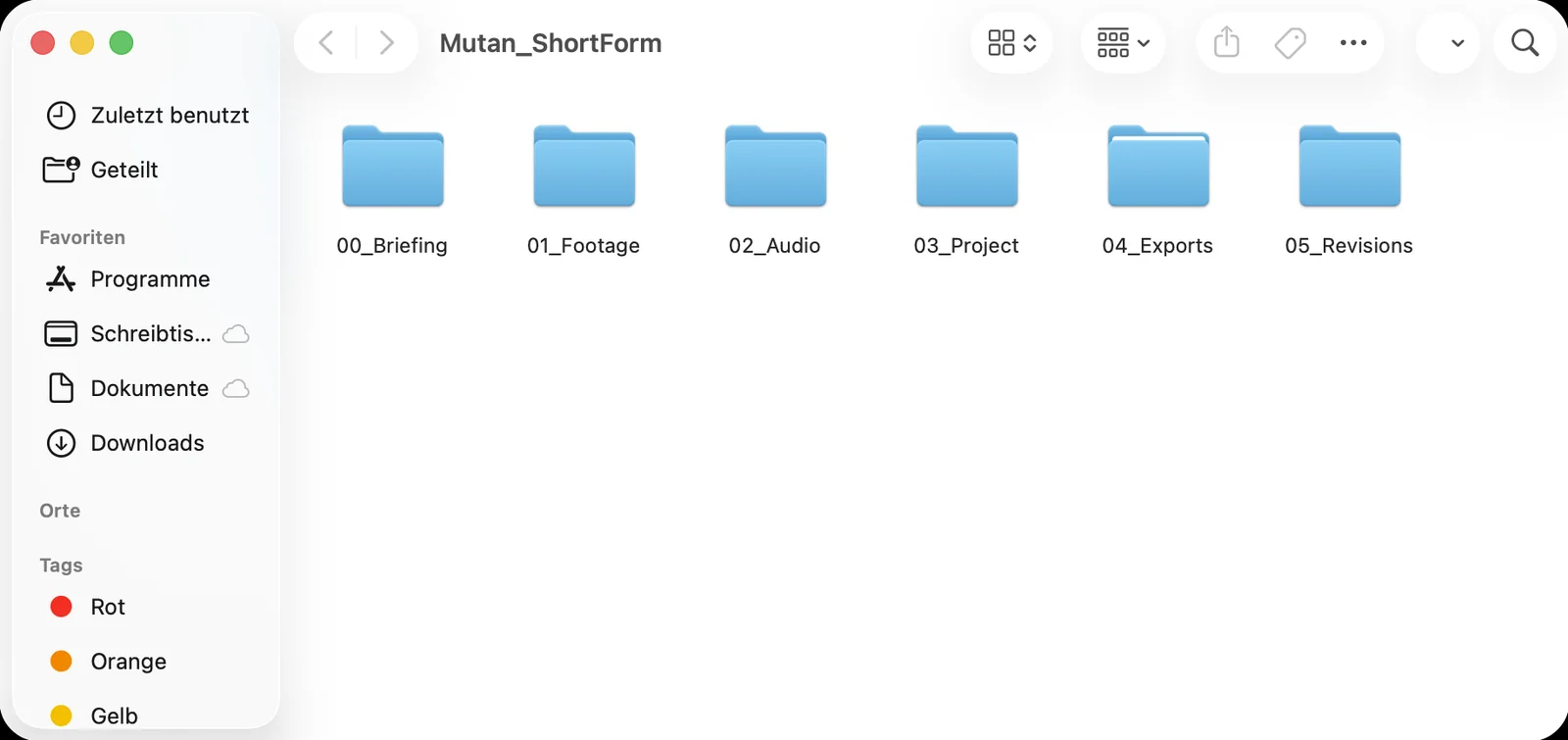
Footage that files itself
Every new project gets a consistent folder structure on disk, so you're never hunting for the briefing or the final export again.
- ✓ Briefing, footage, audio, project, exports and revisions — separated automatically
- ✓ Smart drag-and-drop sorting into the right subfolder
- ✓ Choose your own storage location in Settings
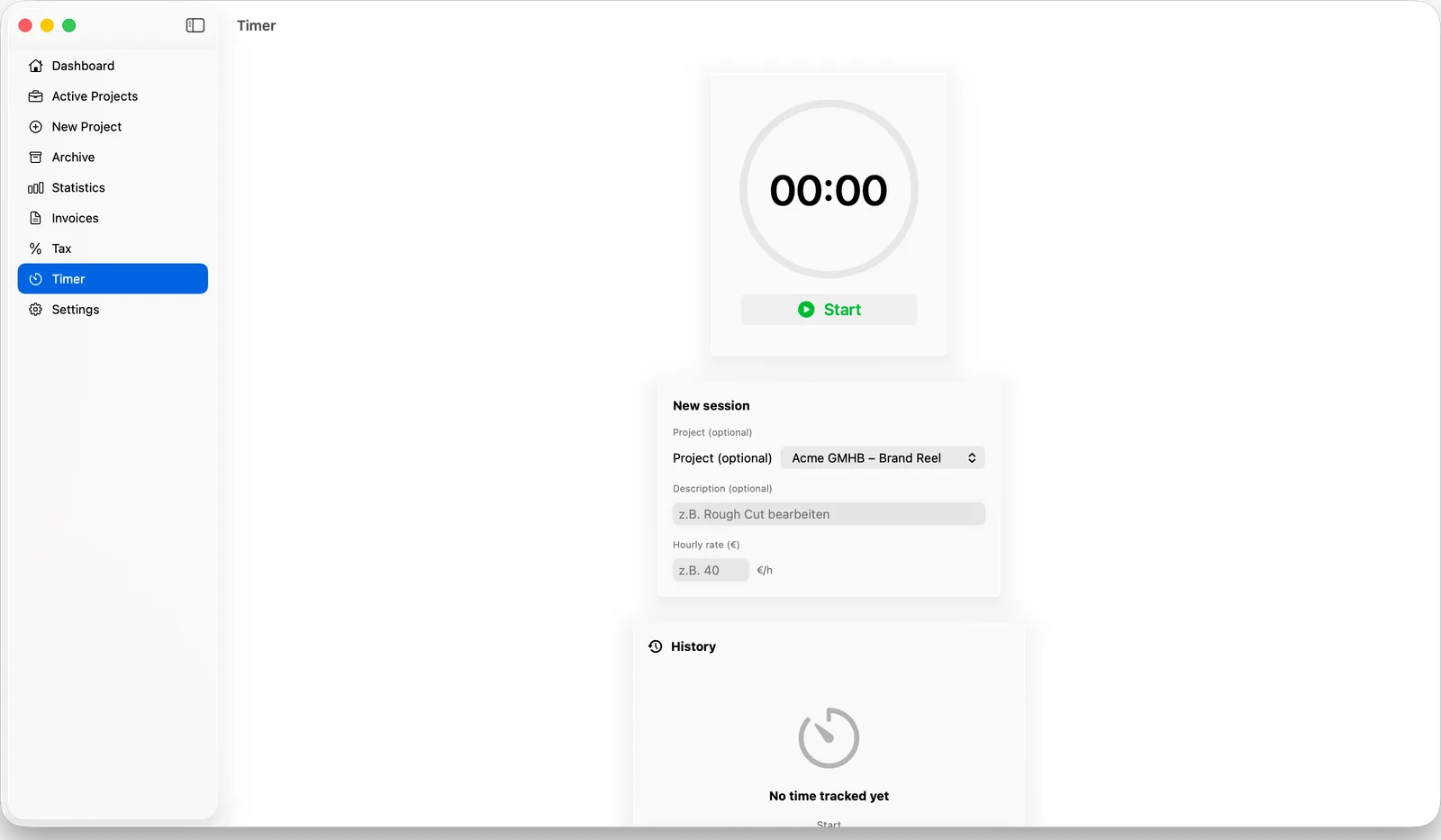
A timer that actually understands the job
Track time against a specific project, set an hourly rate, and let Clientbase work out your real effective rate once the project closes.
- ✓ One-click start from the dashboard or the Timer tab
- ✓ Add a description after the fact if you forgot
- ✓ Full session history per project
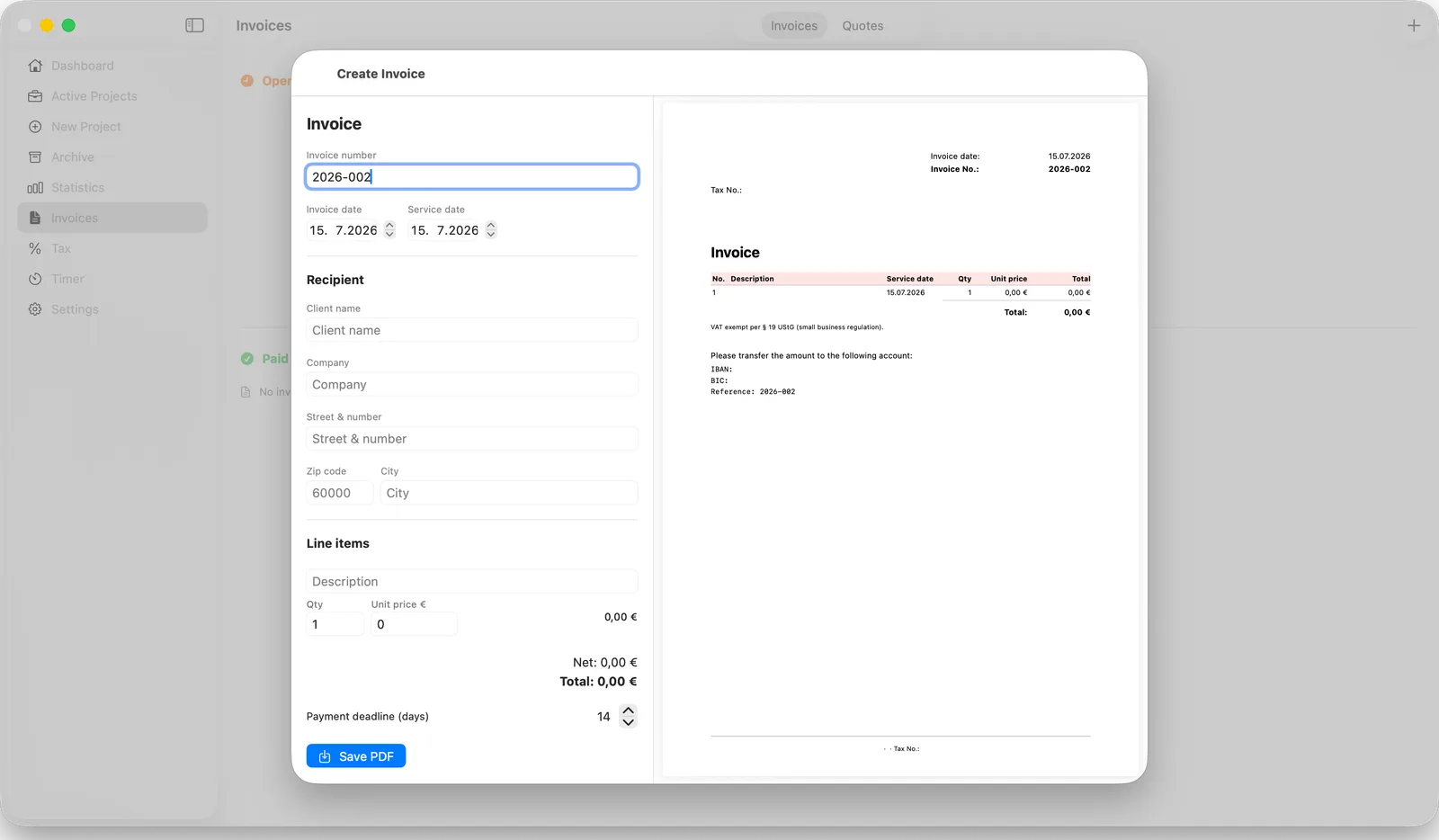
Invoices that write themselves
Pull client and project data straight into an invoice, watch the PDF update live, and send a quote the same way when a client needs one first.
- ✓ §19 UStG (Kleinunternehmer) or standard VAT, switchable per invoice
- ✓ Automatic sequential numbering
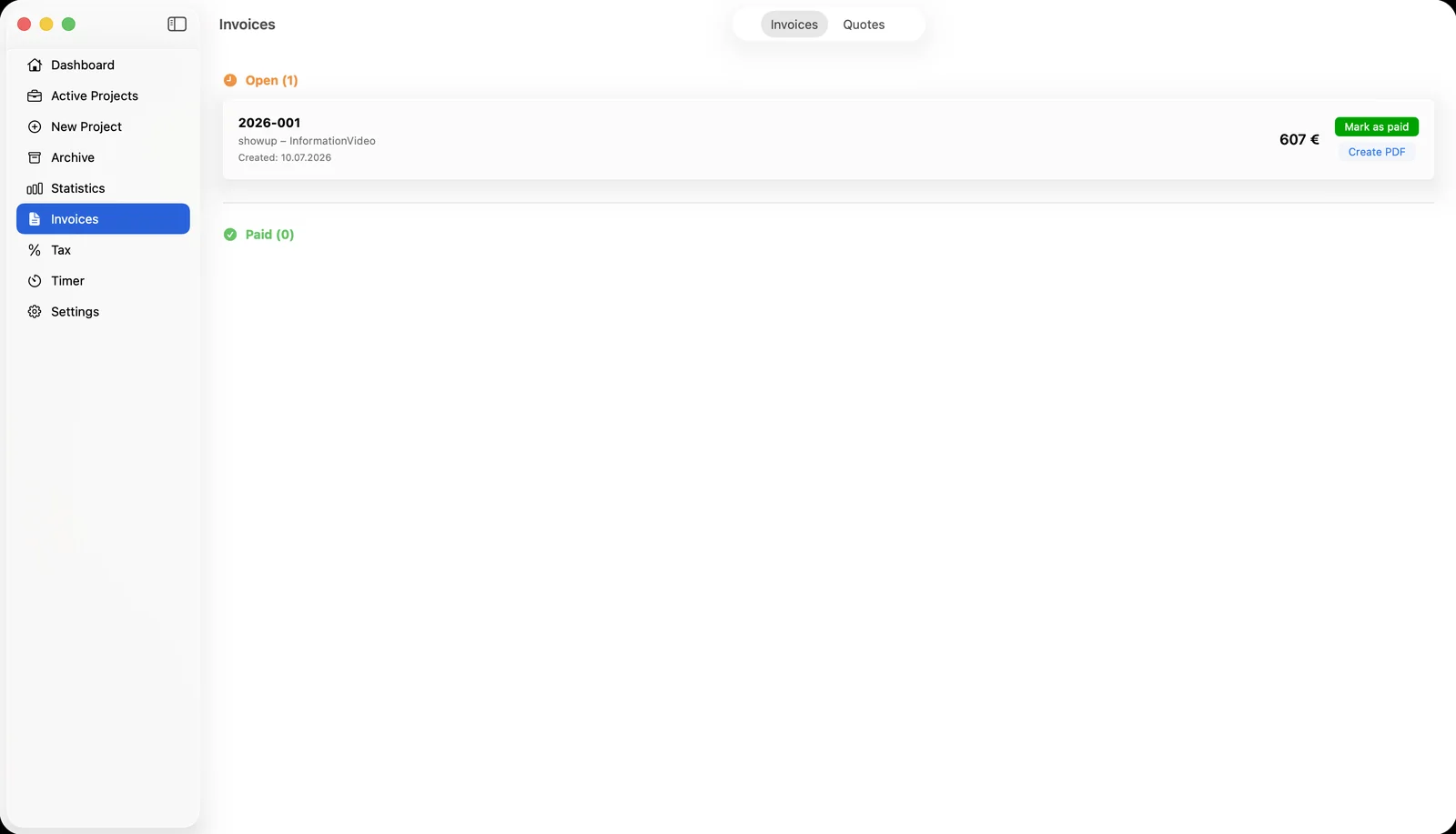
- ✓ Open / paid tracking with automatic payment reminders
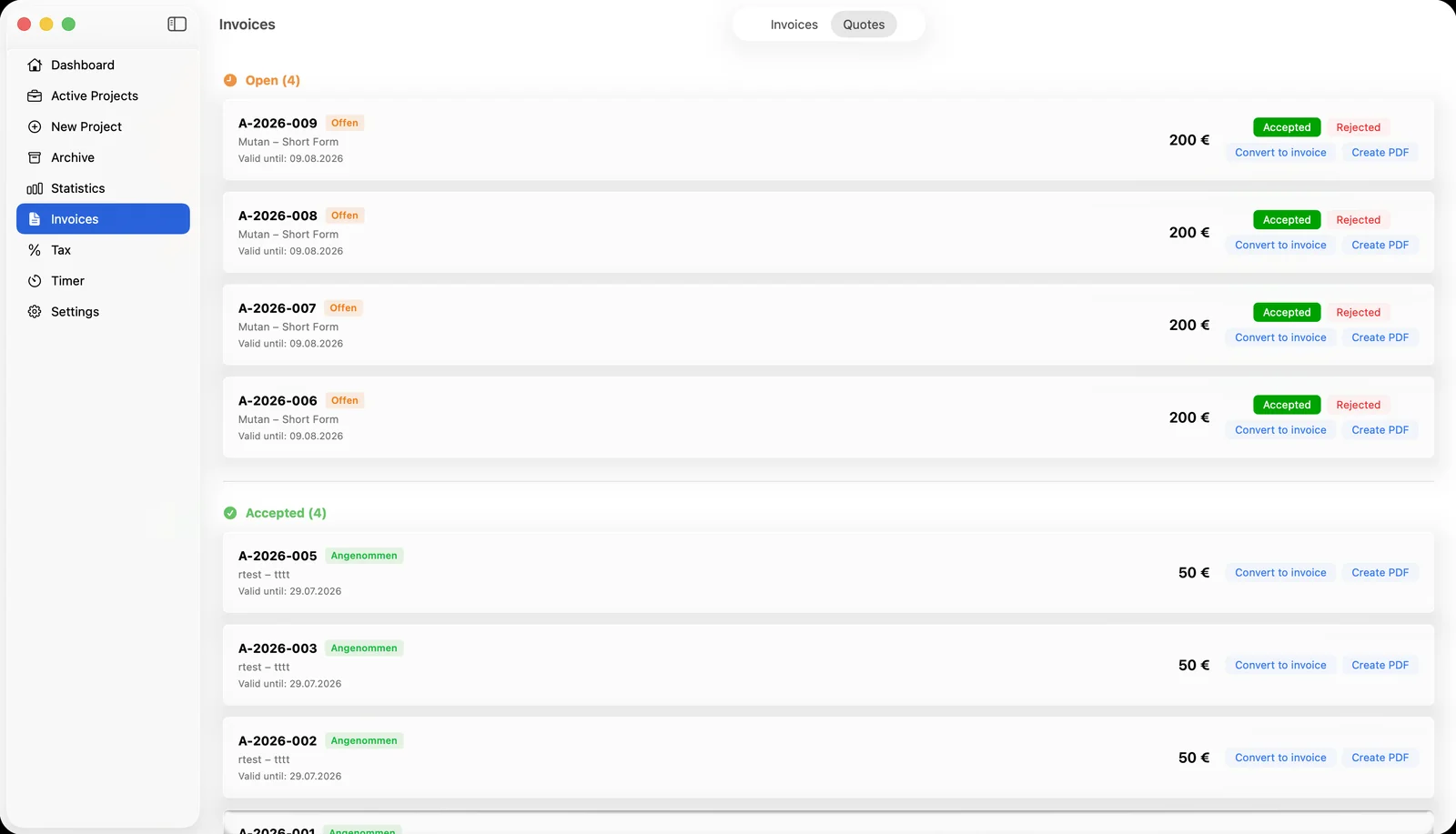
- ✓ Quotes that convert straight into invoices once accepted
A proper close for every project
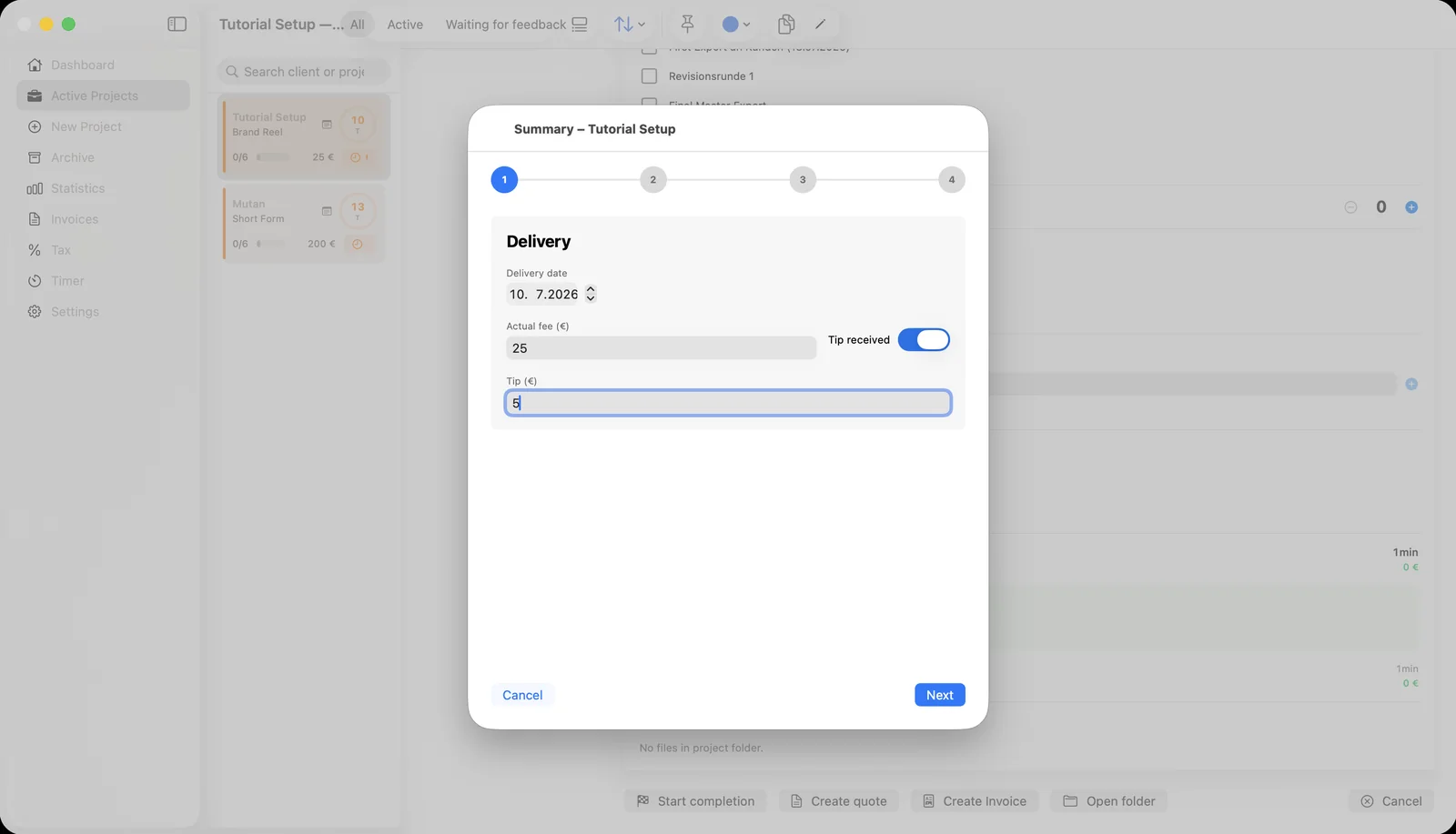
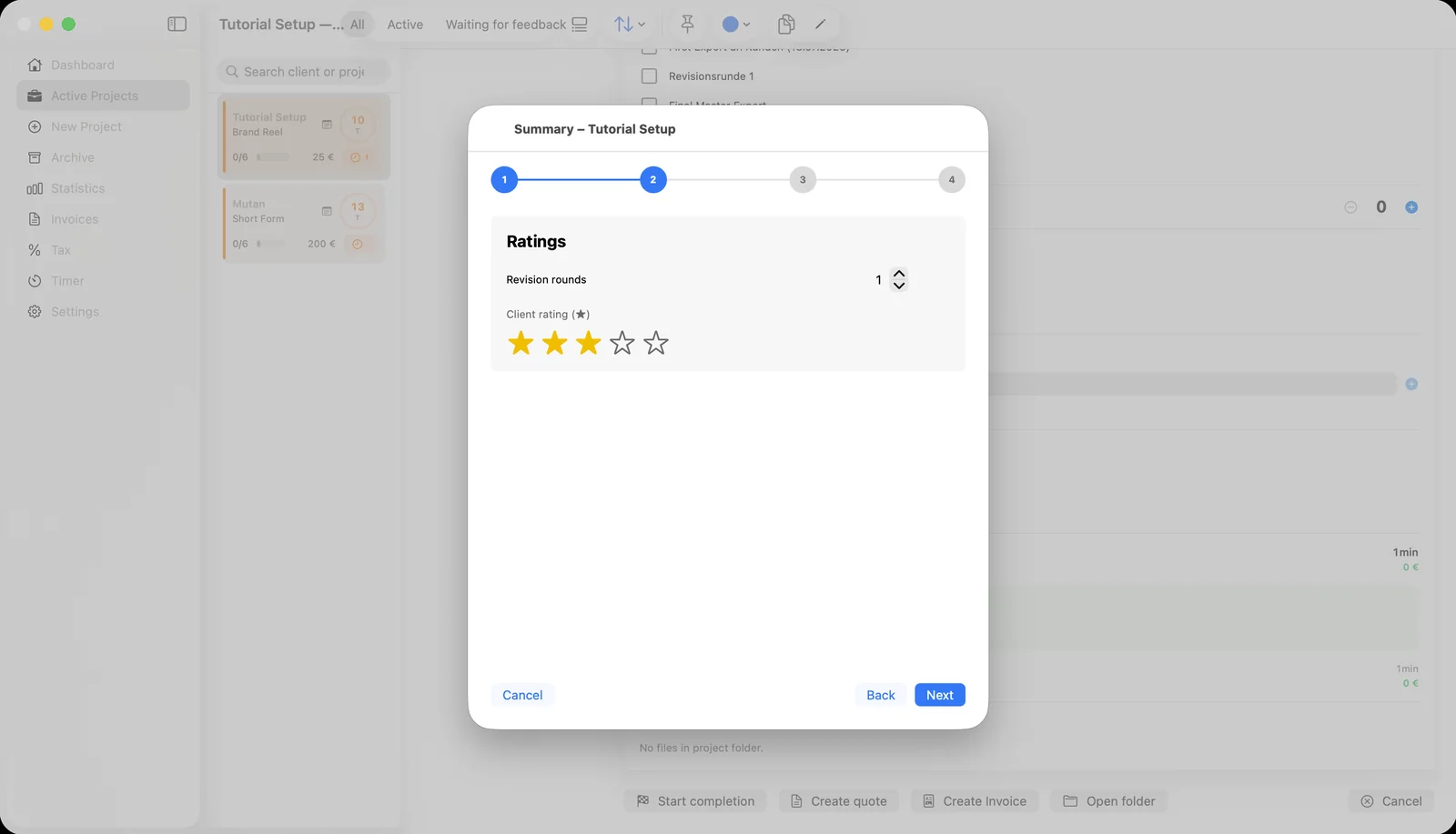
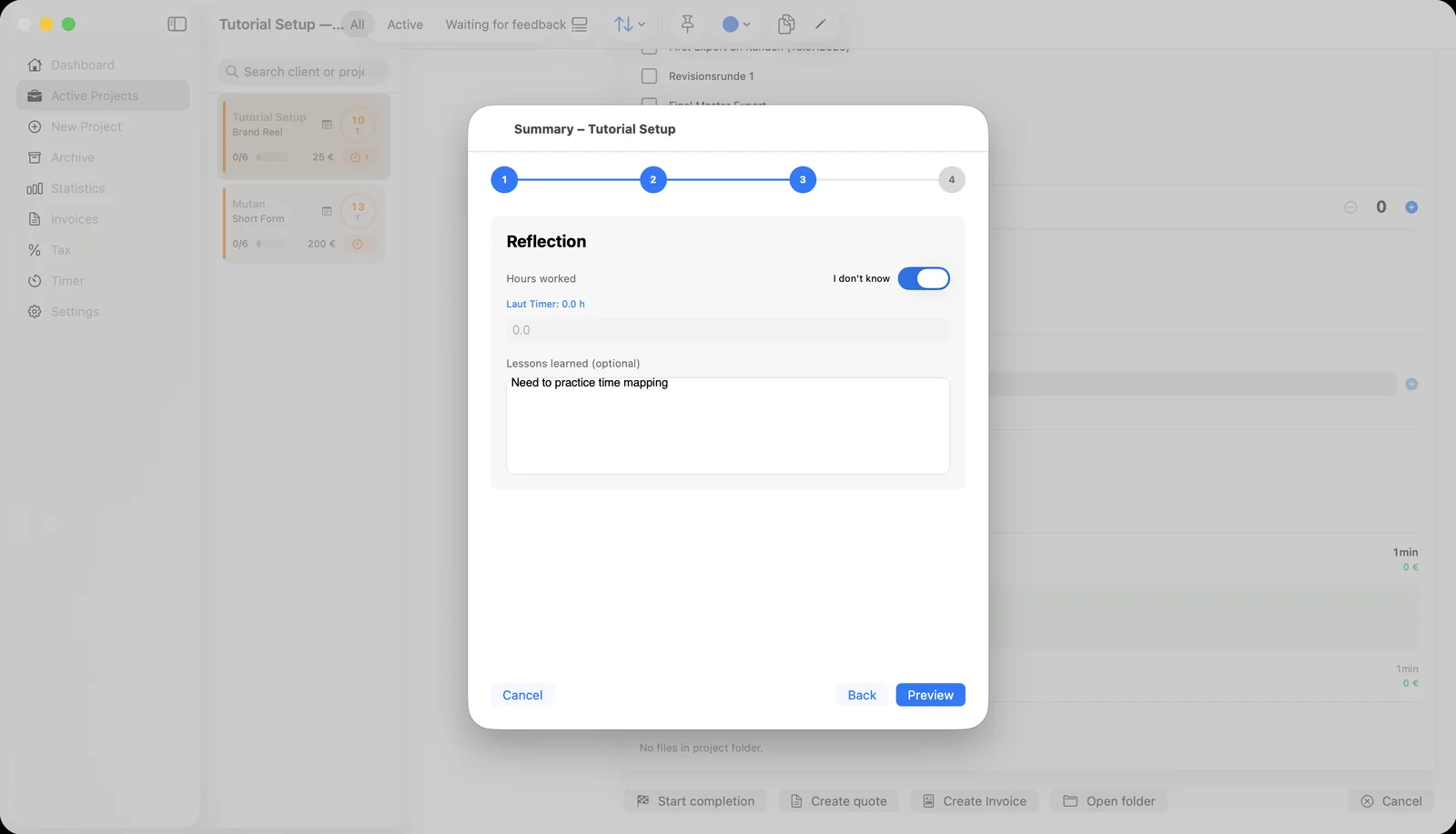
A guided 4-step flow — delivery, ratings, reflection, and a final summary — turns wrapping up into something you'll actually do consistently, confetti included.
- ✓ Log the delivery date, final fee and any tip received
- ✓ Rate the client and record revision rounds
- ✓ Capture lessons learned while they're still fresh
- ✓ Automatically archives the project and cleans up reminders and footage
Know your numbers without a spreadsheet
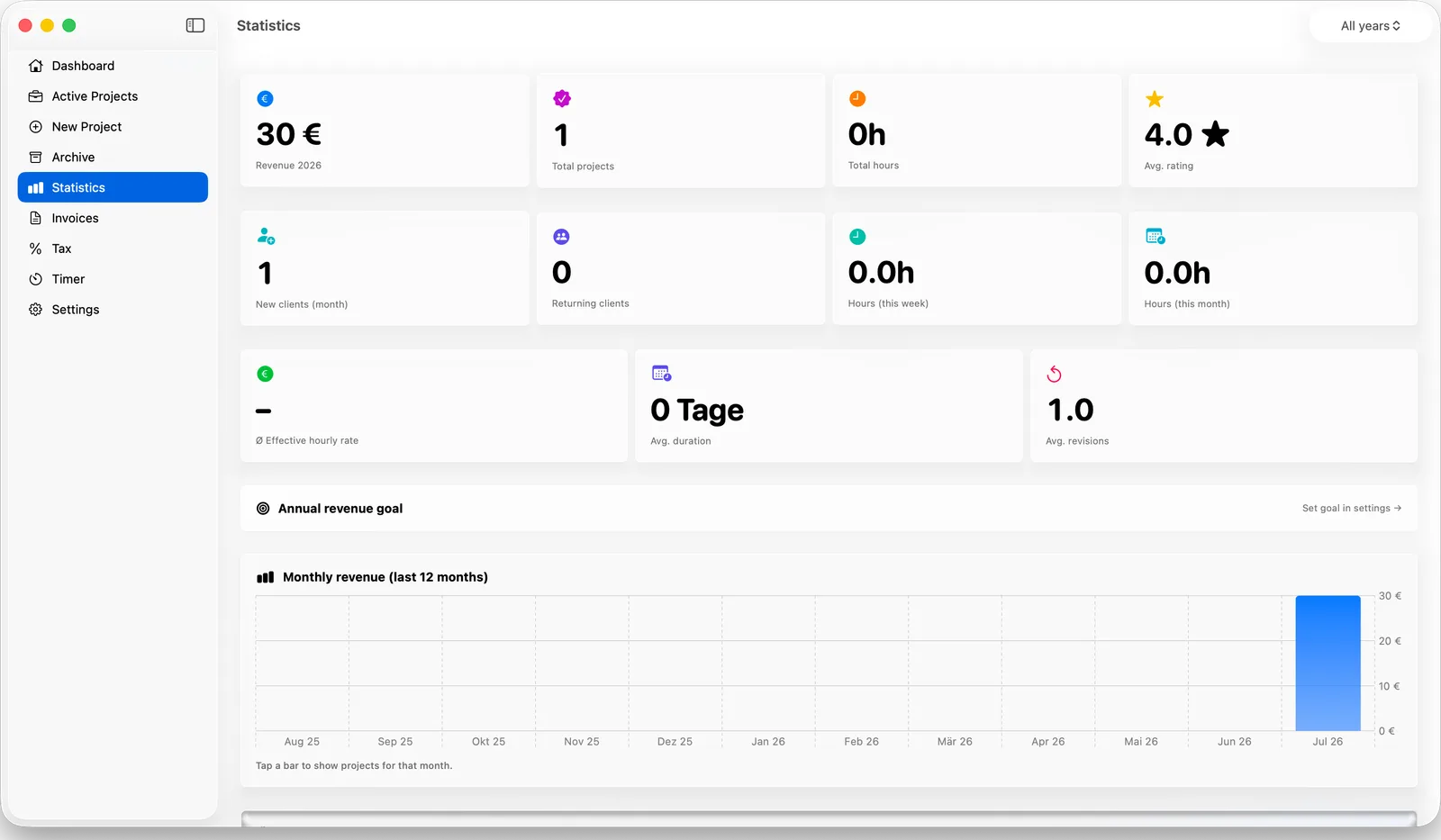
Revenue by month, your top clients, average effective hourly rate, and progress toward your yearly goal — all built from the projects you've already logged.
- ✓ Monthly revenue chart for the last 12 months
- ✓ Top 5 clients by revenue
- ✓ Average revisions and project duration
- ✓ Filter any chart by year
Set it up once, the way you work
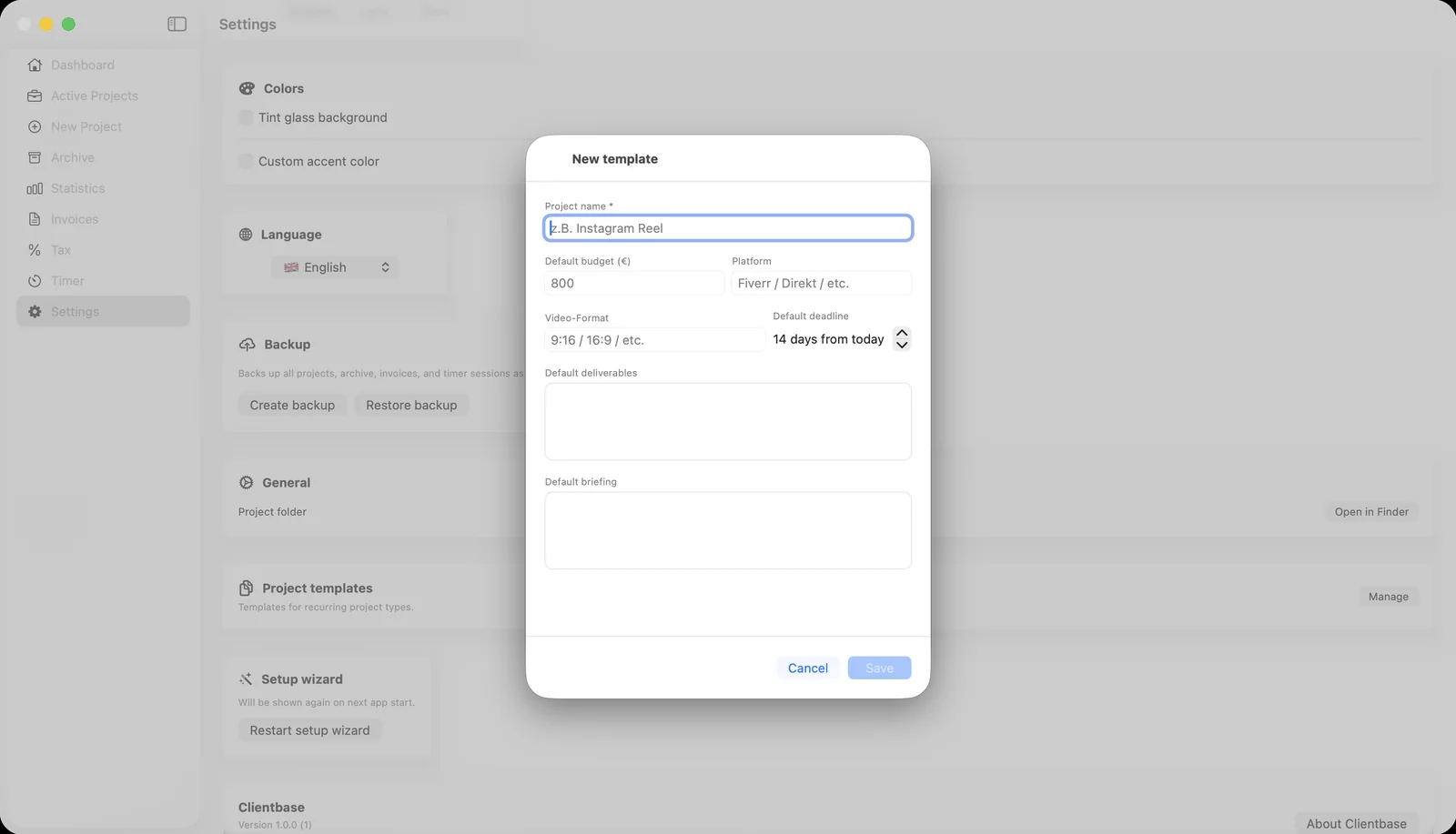
Save templates for the project types you repeat most, and tune the app itself — currency, calendar, appearance, and language.
- ✓ Project templates with default budget, format and briefing
- ✓ Light, dark, or system appearance, with a custom accent color and glass tint
- ✓ Pick your calendar, currency and default hourly rate
- ✓ Six interface languages, switchable instantly
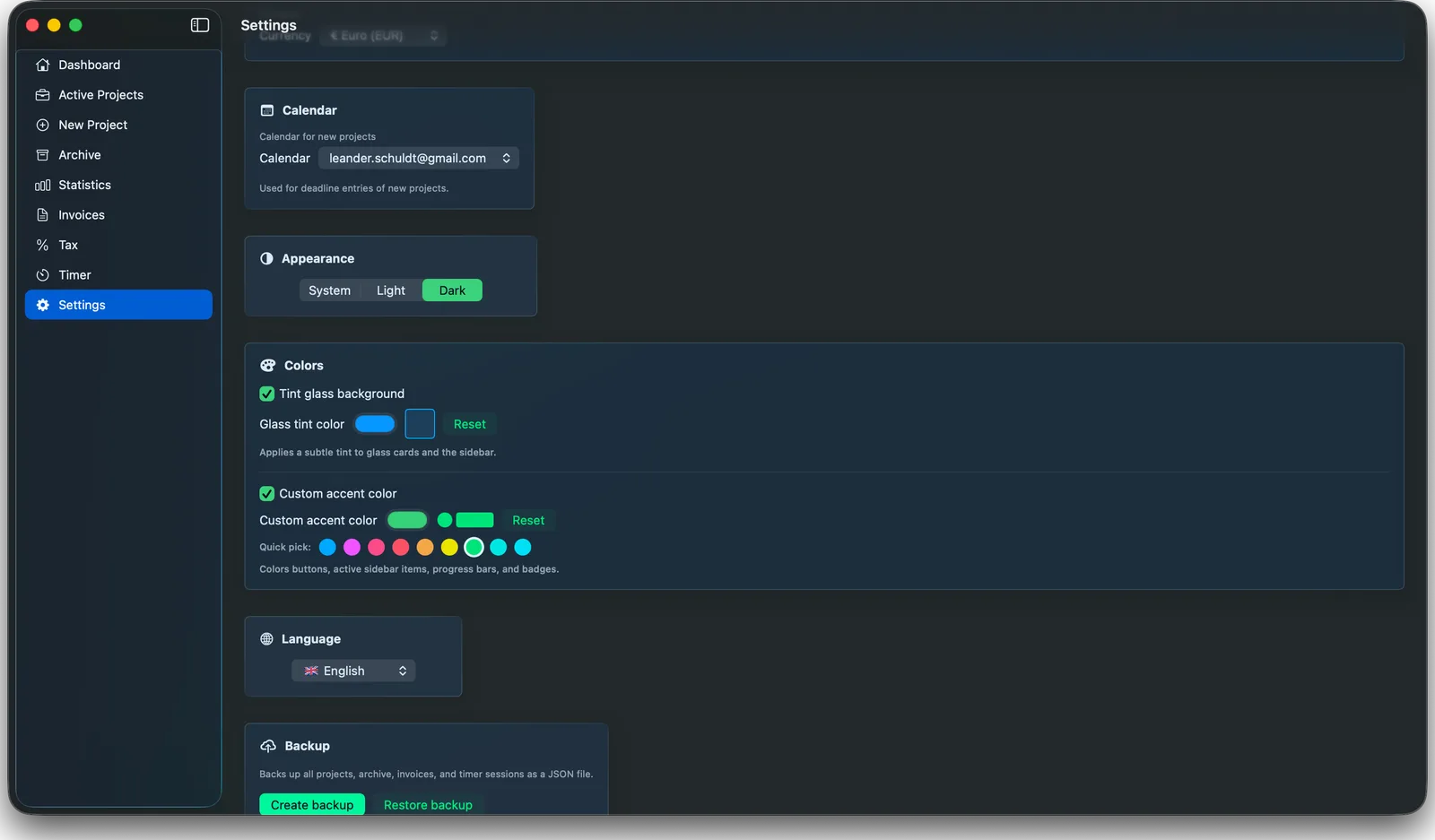
Make it yours
Full dark mode, plus fine control over how the app actually looks — not just a light/dark switch.
- ✓ Light, dark, or follow your system automatically
- ✓ Optional glass tint — pick any color for the frosted surfaces
- ✓ Custom accent color for buttons, progress bars and badges, with quick-pick presets